NewThe assistant can now edit a whole deck from one message
Turn your documents into slides that use your company template
Upload one deck you already use. Slide Studio copies its colours, fonts and layouts, then writes new presentations from your PDFs, Word files and notes. You get an editable PowerPoint file, not a picture of slides.
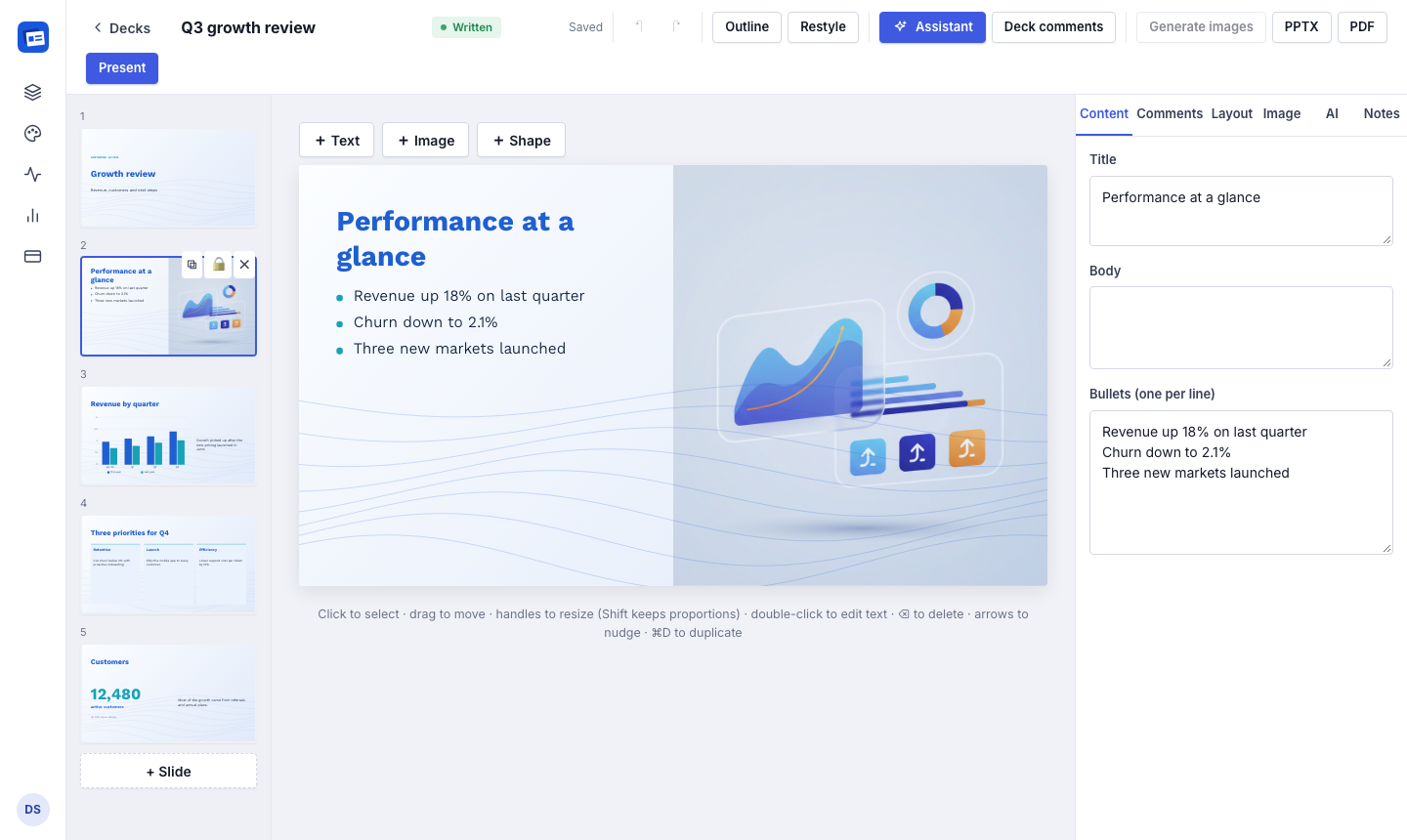
The real editor, not a mock-up. Slides on the left, the one you are editing in the middle, its text on the right.
16slide layouts
.pptx + .pdfeditable export
~5 minfrom template to first deck
Any languageLatin and Khmer fonts bundled
How it works
Three steps, one of them is coffee
You bring the template and the content. The app does the layout work you would normally spend an afternoon on.
A 47-second tour: teach it your template, describe the deck, change it in plain words, export.
PPTXcompany-template.pptx
Learned: 5 colours, 2 fonts, logo, 7 layouts
Step 1
Upload your template
A deck or PDF you already like. It reads the colours, fonts, logo and layouts, and you can fix anything it got wrong.
10 slides for the board on Q3: revenue by quarter, three wins, risks and next steps. Use the attached report.
Create deck
Step 2
Describe the deck
Say who it is for and attach your reports or notes. The assistant plans the outline and writes every slide.
PPTXq3-board-review.pptx
PDFq3-board-review.pdf
Step 3
Refine and download
Ask for changes in plain words or edit on the slide. Then download PowerPoint or PDF.
Features
Built for people who already have a template
Most AI slide tools give you their design. This one uses yours.
It learns your style from the file, not from a guess
Theme colours and fonts are read straight from the PowerPoint file, then checked against how the pages actually render. The logo is found by looking for the image that repeats on every slide.
Works from .pptx, .pdf, Keynote or screenshots
Everything it learned is editable on the style page
One style is reused for every deck after that
Charts and tables your colleagues can still edit
Charts are native PowerPoint charts with the data behind them. Tables are real tables. Text sits in normal text boxes, so the file keeps working after you download it.
Bar, line, pie and doughnut charts from your numbers
Text that does not fit goes to speaker notes while writing
A PDF export that matches the screen
And the rest
The small things that save the most time
An assistant that edits
“Shorten slide 4”, “add a timeline”, “make it more formal”. It changes the slides and lists what it did.
Writes from your files
PDF, Word, PowerPoint, Markdown or pasted notes. Long reports are summarised first.
16 layouts
Title, agenda, cards, comparison, big number, quote, timeline, chart, table and more.
Pictures that match
Generate images and icons in your palette, or upload your own and place them where you want.
Any language
Write in the language your audience reads, or two on one slide. Khmer and Latin fonts included.
Free exports
Download PowerPoint or PDF as often as you like. Exports never cost credits.
Example output
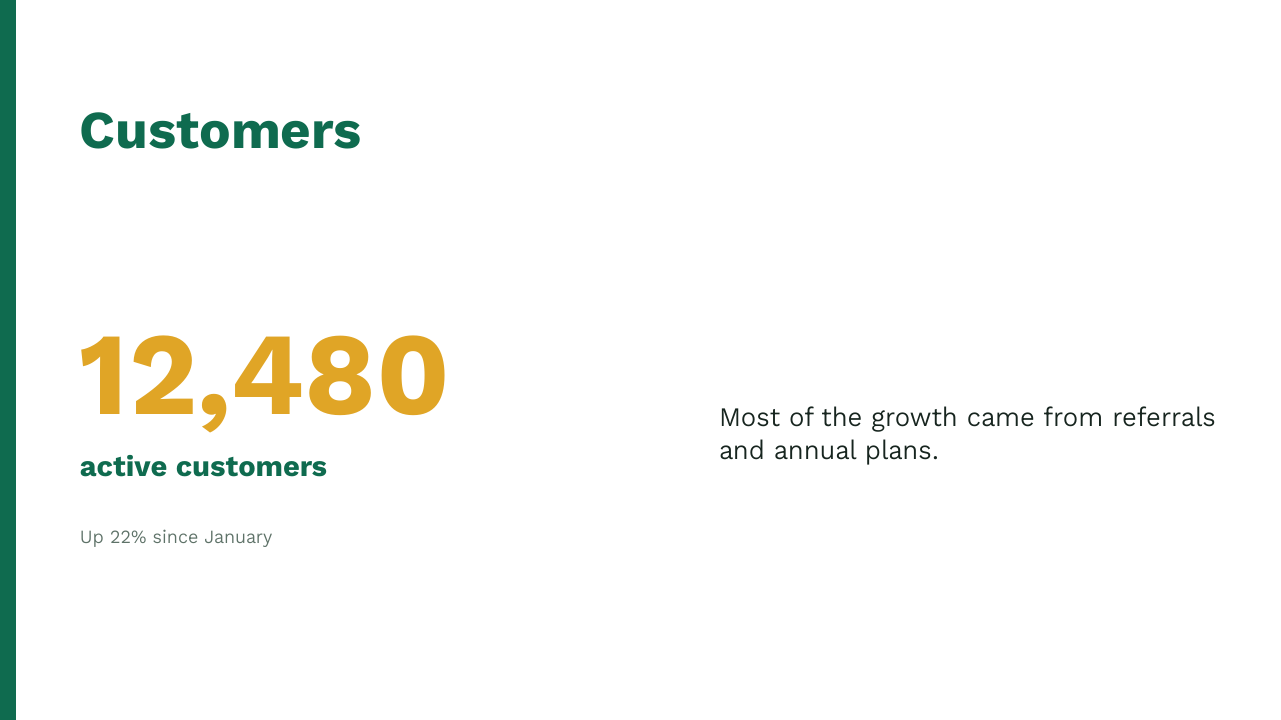
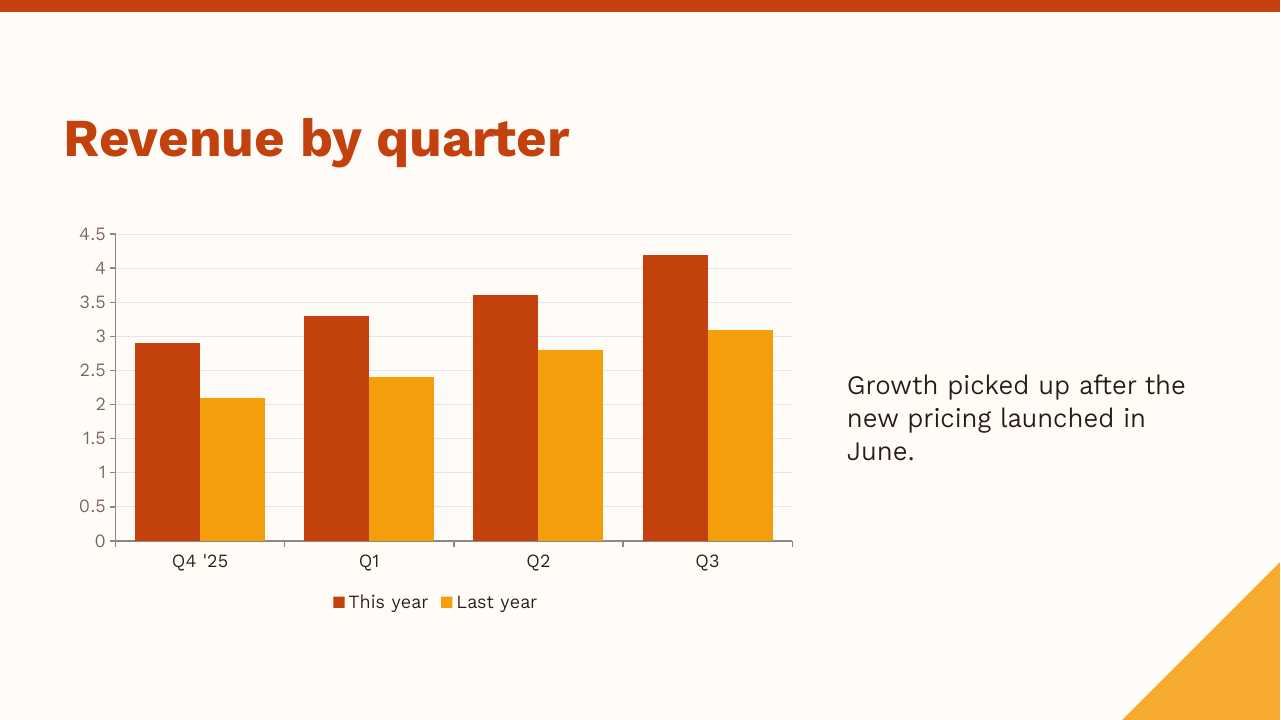
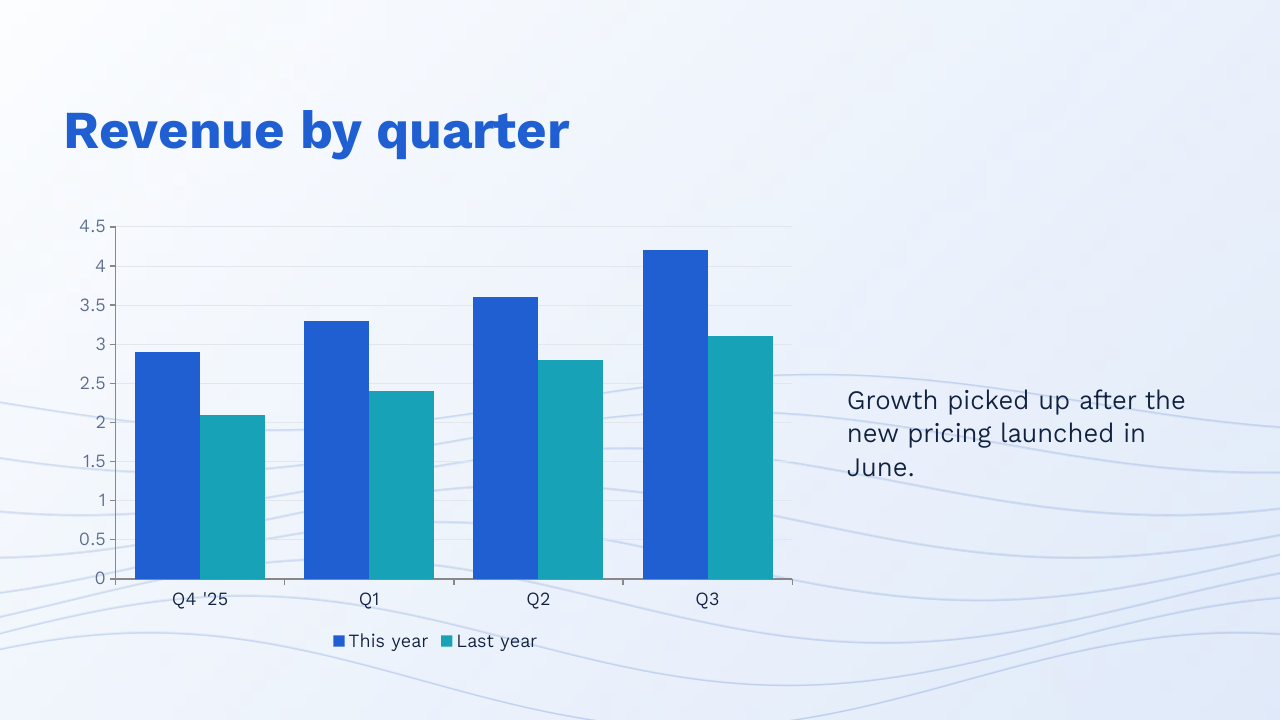
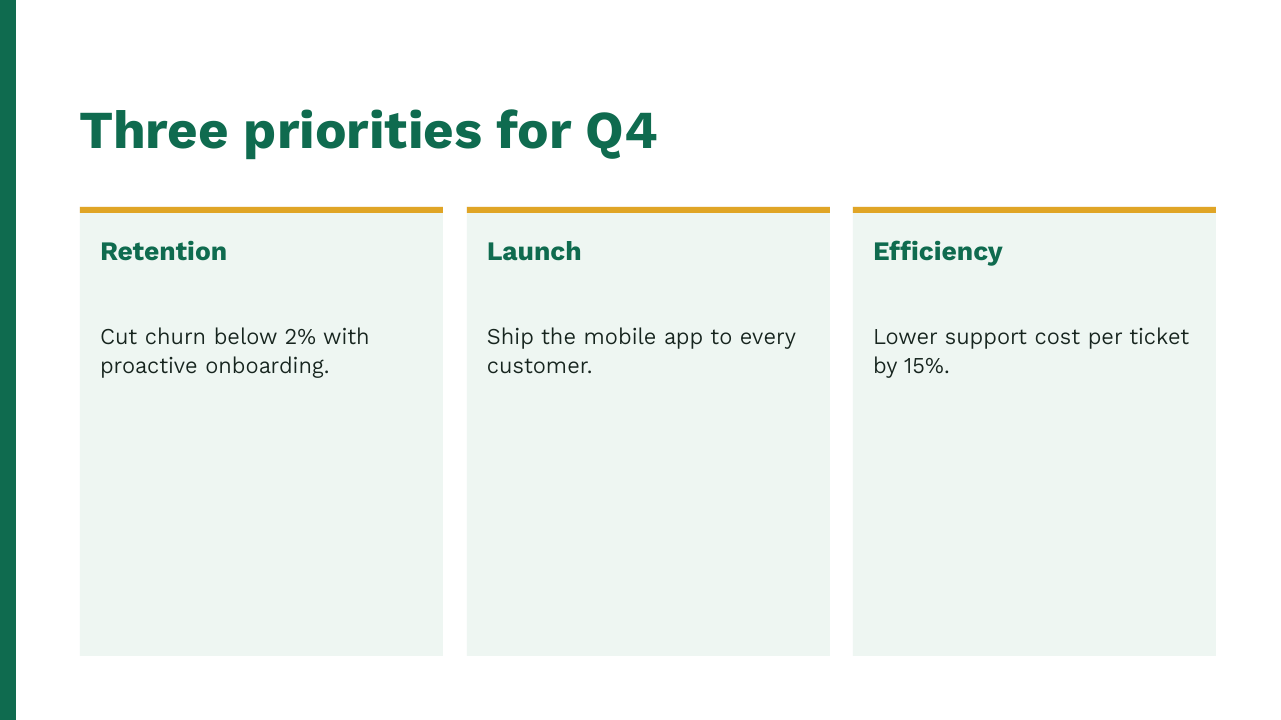
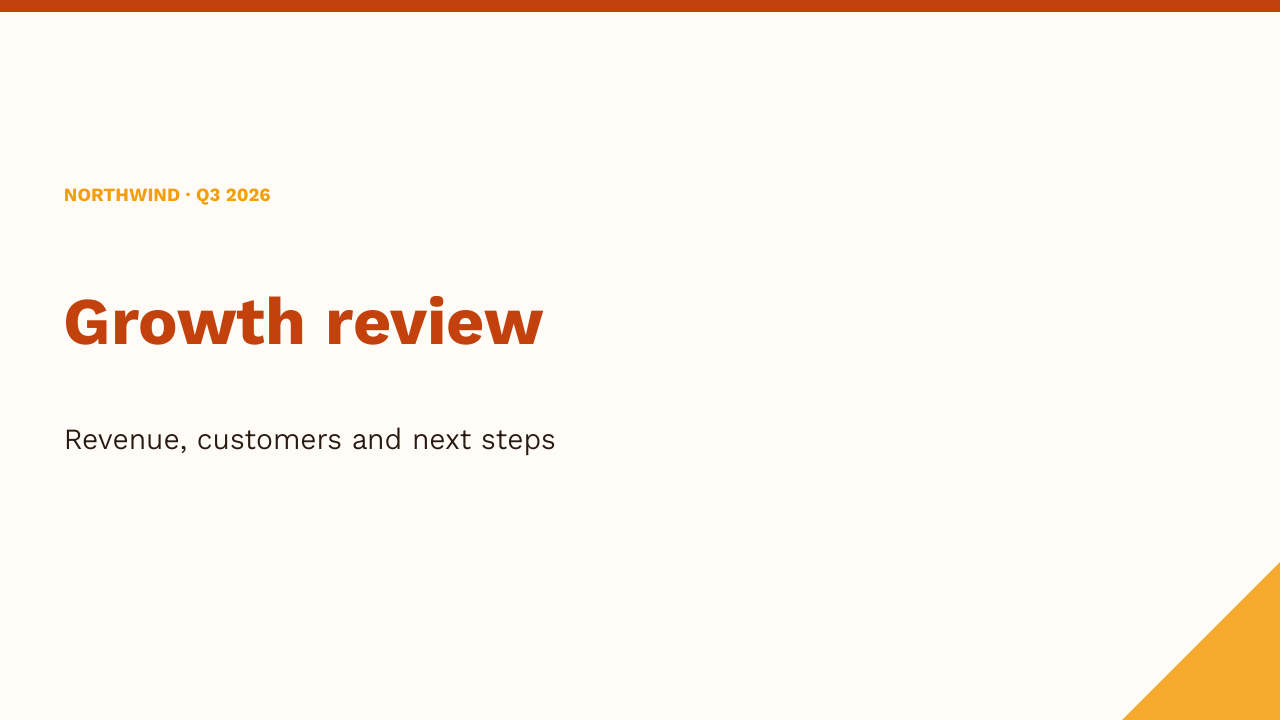
Three templates, same notes
Renders of the exported PowerPoint files. No retouching.
Blue, soft background linesGreen, side ruleOrange, top bar and corner
Pricing
Start free, pay when it is useful
AI work uses credits. They are held when a job starts and you only pay for the part that finished.
Prices in US dollars. Taxes are added at checkout where they apply. Refund policy.
Security and data
For the IT person who has to approve it
The questions people usually ask before they let a team use it.
Private by workspace
Every deck, style and upload belongs to one workspace and is checked on every request.
Normal sign-in
Google sign-in or email and password. Passwords are salted hashes; sessions use an httpOnly cookie.
Where AI requests go
Through OpenRouter to the configured model, with only the text and images the task needs. We do not train models on your content.
Payments and deletion
Cards are handled by our payment provider and never reach our servers. Delete your account and its data any time.
FAQ
Questions
Do I need a template first?
Yes, one is enough. Any deck or PDF you already like will do, and a few screenshots of slides also work.
Will my colleagues be able to edit the PowerPoint?
Yes. Text, shapes, charts and tables are normal PowerPoint objects. If your template uses special fonts, they need to be installed on the computer that opens the file. The PDF always shows them correctly.
How accurate is the content?
It is told to work from what you upload and to say when something is missing rather than invent numbers. It is still AI, so read every slide before you present it.
Which languages work?
Any language the AI model can write. English and Khmer are the ones we test most. For other scripts, pick a font that supports them in your style and check the result.
What happens to unused credits?
Pro credits roll over up to twice the monthly amount. Bought credits never expire while your account is open.
Can I cancel?
Any time, from the Billing page. You keep Pro until the end of the period you paid for.
Can I get a refund?
Yes, within 14 days of a payment. If you used less than 20% of the credits it gave you, you get the full amount back; otherwise we refund the unused part. Your legal rights in your country always apply. Details are in the refund policy.
Try it on your own template
Upload one deck, describe the next one, download the PowerPoint. About five minutes.
 Slide Studio